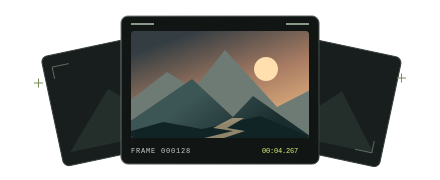
FframestudioWEB

Save moments from your video.
Right in your browser.

Everything happens locally in your browser. (No uploads)

Drag and drop your video here
MP4 · MOV · WebM · MKV Depends on codecs supported by your browser

Video tools in your browser

Create subtitles locally (Beta)

Open a video and select Create subtitles (on mobile, open Tools). Choose Korean or English, review and edit the text, then save SRT, VTT or TXT. Long videos are processed in sections with progress and partial saving, without a fixed 20-minute limit. Cancelling preserves completed subtitles. The first use downloads about 100MB of model and runtime files; no Whisper installation or video/audio upload is needed. Cached files allow repeat use offline in the same open page. A recent desktop Chrome or Edge is recommended. Speed and practical limits depend on your device; automatic text and timestamps may contain errors.

Save photos from video

Choose a local video, move to a moment and save a PNG, JPG or WebP at the original frame resolution. Collect several frames and download them together as a ZIP.

Find a sharper nearby frame

Find sharper frames compares moments within 0.5 seconds of the current position and moves to a sharper candidate when available. It selects an existing frame; it does not restore or sharpen a blurred image. Go back or Ctrl+Z / Cmd+Z returns to earlier positions.

Make a GIF from a video

Select Create GIF, adjust the start and end handles on the timeline, then save. Choose a size and up to 50 fps for a clip up to 20 seconds long. GIFs have no sound and use up to 256 colors per frame.

Extract audio from video

Open a video and select Extract audio (on mobile, open Tools). Original audio saves the primary audio track without re-encoding, in a compatible M4A, WebM, MP3, FLAC or WAV file. Choose WAV for 16-bit PCM editing audio. The full track is written to local browser storage without a fixed 256MB cap. Available device/browser storage and format support determine practical limits. A browser supporting local file storage is required. Video and audio are never uploaded.

Merge videos in your browser

Add multiple videos, arrange their order and save one file. Compatible tracks merge without re-encoding; others convert to a common format. All these tools run in your browser without uploading your videos to a server.

MAKE YOURSELF AT HOME

Keyboard shortcuts

Previous / next frame
← →
Move 10 frames
Shift + ← / →
First / last frame
Home End
Play / pause
Space
Select / deselect frame
S
Save current frame
D

Pause playback to select an exact frame.
Preview is muted and may skip frames depending on your device.